 BeaverFlow
18 chapters, four stages
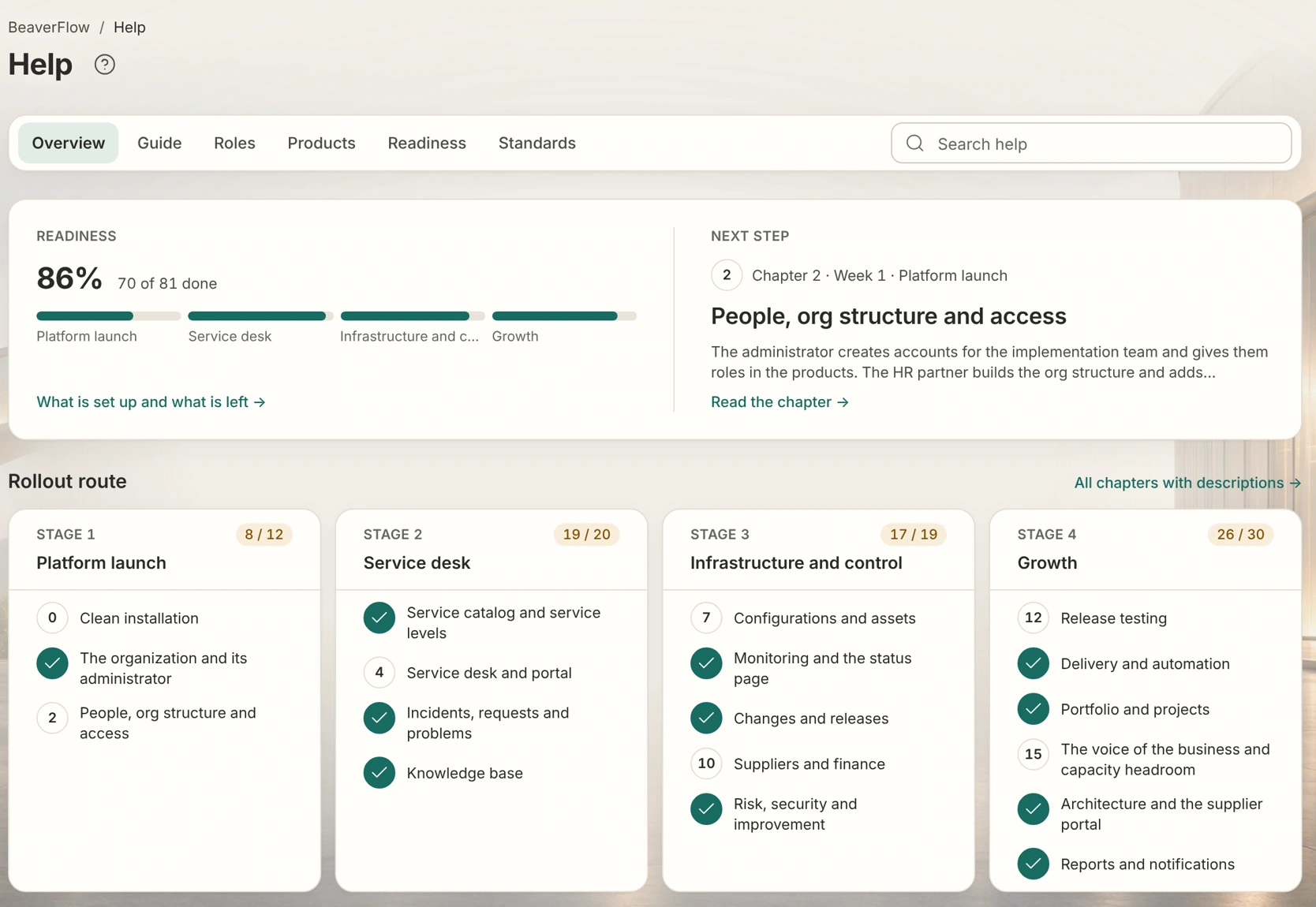
The in-app guide takes you from installation to everyday work. A readiness indicator shows what’s set up and which chapter to open next.

Start with one process that works. Give it an owner, train the team and check the result in real records.
Notify meIn plain words
ITIL is a collection of good habits for running IT. Record what breaks. Find out why. Think before you change things. Write down what you learned. None of it is complicated, but putting 29 practices into place at once would stop any team in its tracks.
So don’t. Start with one process that works, give it an owner and let the team get used to it. BeaverFlow has a guide built in: 18 chapters across four stages, with a readiness indicator that tells you which chapter to open next. Every product also carries its own tips, so the advice is where the work is.
The plan below shows what a year can look like. Treat it as a map, not a schedule. Your pace depends on your team.
The in-app guide takes you from installation to everyday work. A readiness indicator shows what’s set up and which chapter to open next.
Every product has ITIL and ISO tips built in. A link in the workspace opens instructions for setting up that area.
Nordline Logistics comes with around 6,700 linked records and 60 knowledge articles. Click through real-looking workflows first, then start with your own data.
Use this as a starting point for planning your IT team’s work. How long each phase takes depends on your scope and on how the previous phase went.
| Months | Phase | Goal | Completion criteria |
|---|---|---|---|
| 1–2 | Foundation | Move requests out of email and chats into tickets; one place to report; SLAs; team training. | Every request is in the system · SLAs tracked · Dashboard with 4+ weeks of data |
| 3–4 | Inventory | IT asset inventory; link assets to tickets; put the org chart into the system; access request process; onboarding checklists. | CMDB filled in · Access requested through the system · Onboarding checklist in use |
| 5–6 | Process maturity | Problem management; change control; knowledge base; self-service portal; CRM. | Change process running · Knowledge base with 20+ articles · Portal live |
| 7–9 | Visibility and control | Monitoring connected; security incidents and vulnerabilities; risk register; suppliers; IT budget; release management. | Monitoring connected · Security incidents tracked · Risk register in use |
| 10–12 | Strategic platform | Project portfolio; capacity planning; infrastructure map; compliance; executive dashboard. | Portfolio dashboard live · Capacity forecasts running · Compliance evidence ready |
Start with small improvements people can see. That builds momentum and earns trust.
Get engineers and analysts on board first. They’re the ones who make the system real.
Keep the old and new processes running together for a while so nothing breaks during the switch.
One new module per phase. Too much change at once and nobody adopts anything.
Each phase has a clear definition of done, based on data rather than opinions.
Take small steps, collect feedback and keep improving. Waiting for perfect just means waiting.
| Role | Effort | Active phases |
|---|---|---|
| Project lead | 0.5 FTE | All |
| IT engineer (main) | 0.5 FTE | 1–3 |
| IT engineer (extra) | 0.25 FTE | 2–5 |
| Security officer | 0.1 FTE | 4–5 |
| Business analyst | 0.2 FTE | 3–5 |
Bring engineers in early; run both processes side by side for 2 weeks.
Strict phase gates. No new features until the criteria are met.
Start with 20% of assets and add more each sprint.
Show quick wins every week and tie the metrics to business goals.
API first; use existing connectors where you can.
Keep everything documented in the system so no knowledge lives in one person’s head.
Without an active sponsor, the first pushback from middle management will stall the project. The sponsor needs to be ready to settle escalations within 24 hours.
Adopting ITIL isn’t a side project. Without dedicated time, it gets squeezed between incidents and releases, and it always loses.
History lets you see trends from day one. Even a messy export beats starting blind. Focus on the last 12 months of incidents.
Agreeing on the first 10–20 services stops endless debate in phase 1. Focus on the ones that generate the most tickets.
SLAs nobody signed off on turn political later. Lock in 4 priority levels and response and resolution targets before go-live.
A controlled pilot with 50 people shows usability issues, process gaps and training needs before the full rollout. Mix tech-savvy people with the sceptics.
Each integration adds 3–10 days of work. Knowing the list up front avoids surprises mid-phase. Add a contact person for each system.
Knowing when changes are off-limits (quarter end, big releases, audits) helps you plan each phase without clashing with the business.

Good ideas often fizzle out after an incident review. Give the improvement a baseline and a review date so the team can decide whether to keep it, try again or drop it.
Log a recurring problem and a baseline. After the change, measure the same thing and record what you decide for the next round.
Registration opens on 20 December 2026. Leave your email and we’ll tell you the moment you can sign up.