 BeaverFlow

One incident record, from first call to the service coming back
The incident shows the affected service, its owner and the SLA deadline. Follow the links from the first report to the fix and the approved change behind it.
Who it’s for
Incident managers and service owners juggling several resolver teams
The everyday situation
The warehouse phones in a fault while head office mentions the same thing in chat. Once both reports point to one service, the duty manager can raise the priority with confidence and tell the business when the next update is coming.

Your 14-day trial
Get order picking running again before you close the incident
Try this
A warehouse scanner drops its connection. Have the desk log what it means for picking, then pass the same incident to the infrastructure team to investigate.
How you’ll know it works
Hand the record to the next shift. They should be able to name the affected service, the recovery decision and the operator who confirmed orders were moving again.
Notify meIn practice
From “something’s broken” to “here’s what happened”
Most incidents start the same way: several people report the same thing in slightly different words, and for the first ten minutes nobody is sure whether it’s one problem or five. ITSM gives that mess a shape. Reports about the same service land on one incident with an owner and a deadline everyone can see.
From there the record grows with the work. The engineer notes what was checked, the fix gets its own change with a risk assessment and a way back, and repeat faults turn into a problem with a known cause. When the service is running again, the whole chain is still there.
That’s what makes the next conversation easy. A manager asks what happened last Tuesday, and you open one record. Try it in the trial with a single outage from your own week.
Product capabilities
A warehouse reports that an application is down. The agent logs the incident, records when service came back and links repeat reports to a single problem. The next engineer starts with the whole story written down.
If the fix needs a change, the board reviews the risk and the rollback plan. At the service review, the owner can explain when things were back to normal and why that change was the right one.
- Service catalogue with owners and SLAs
- Incident timelines and problem causes
- Change risk assessments and CAB decisions
- Service reviews, health and costs
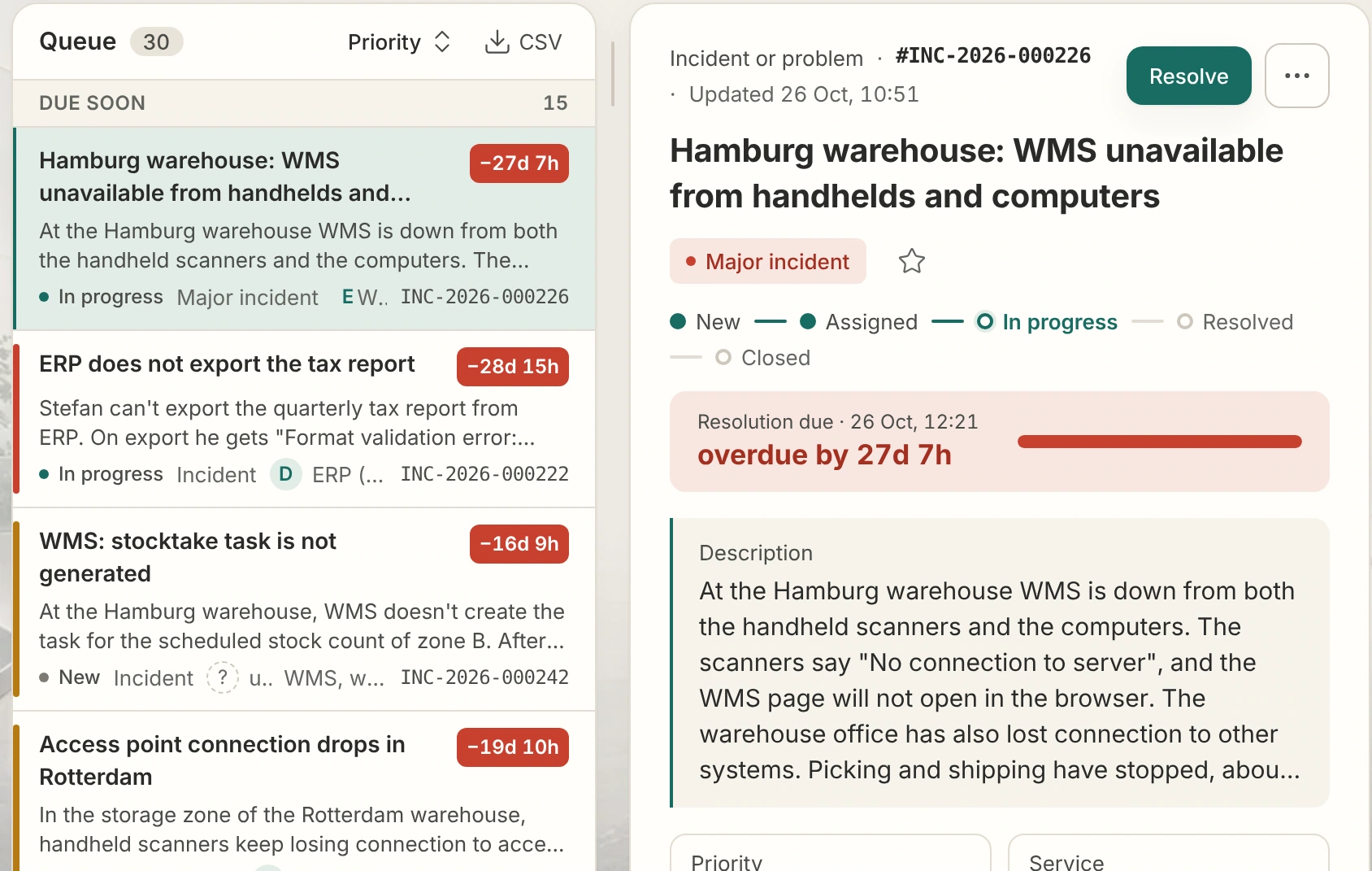
What you work with every day
Incidents
Quick intake, automatic triage, assignment and escalation, with an SLA countdown everyone can see.
Problems
Root-cause investigations linked to groups of incidents, with workarounds and searchable known errors.
Changes
Change requests with risk assessment, staged approvals, CAB and a required rollback plan.
SLA settings
Set different SLA policies by category, priority and customer segment, and let the clock run itself.
Major incidents
A dedicated P1 bridge with live status, stakeholder updates and a review afterwards.
Agent workspace
Queue, ticket details, configuration context and knowledge articles on one screen.

Where it leads next
CMDB · Configurations and dependencies
Before you raise the priority, follow the failed host to the services that depend on it.