 BeaverFlow

See what depends on the system you’re about to change
Before any change, open the service map and see what relies on the component. Configuration history and discovery data back up your impact assessment.
Who it’s for
Configuration managers and engineers who sign off infrastructure work
The everyday situation
Restarting one host can knock out several services. Before the maintenance window, follow its dependencies to find the owners who should approve the work and the teams who need a heads-up.

Your 14-day trial
Find out who to warn before a database restart
Try this
Pick a database that more than one application uses. Build the chain from host to database to application to the service customers see, and name the owner of each link.
How you’ll know it works
Bring the map to a maintenance review. Service owners should be able to confirm who gets notified and spot a missing dependency before anyone touches the system.
Notify meIn practice
“It’s just one server” is how it starts
Someone plans to restart a database host on Thursday evening. It’s routine. What nobody remembers is that three applications use that database, and one of them is how the warehouse prints its shipping labels.
CMDB is the map that remembers. Each server, application and service is a record, and the links between them show what depends on what. Before any work starts, you open the map, see what sits above the host and get a list of people who need to know.
A map like this pays for itself the first time it saves an outage. In the trial, pick one database that matters and build its chain up to the service people actually use. It takes an afternoon.
Product capabilities
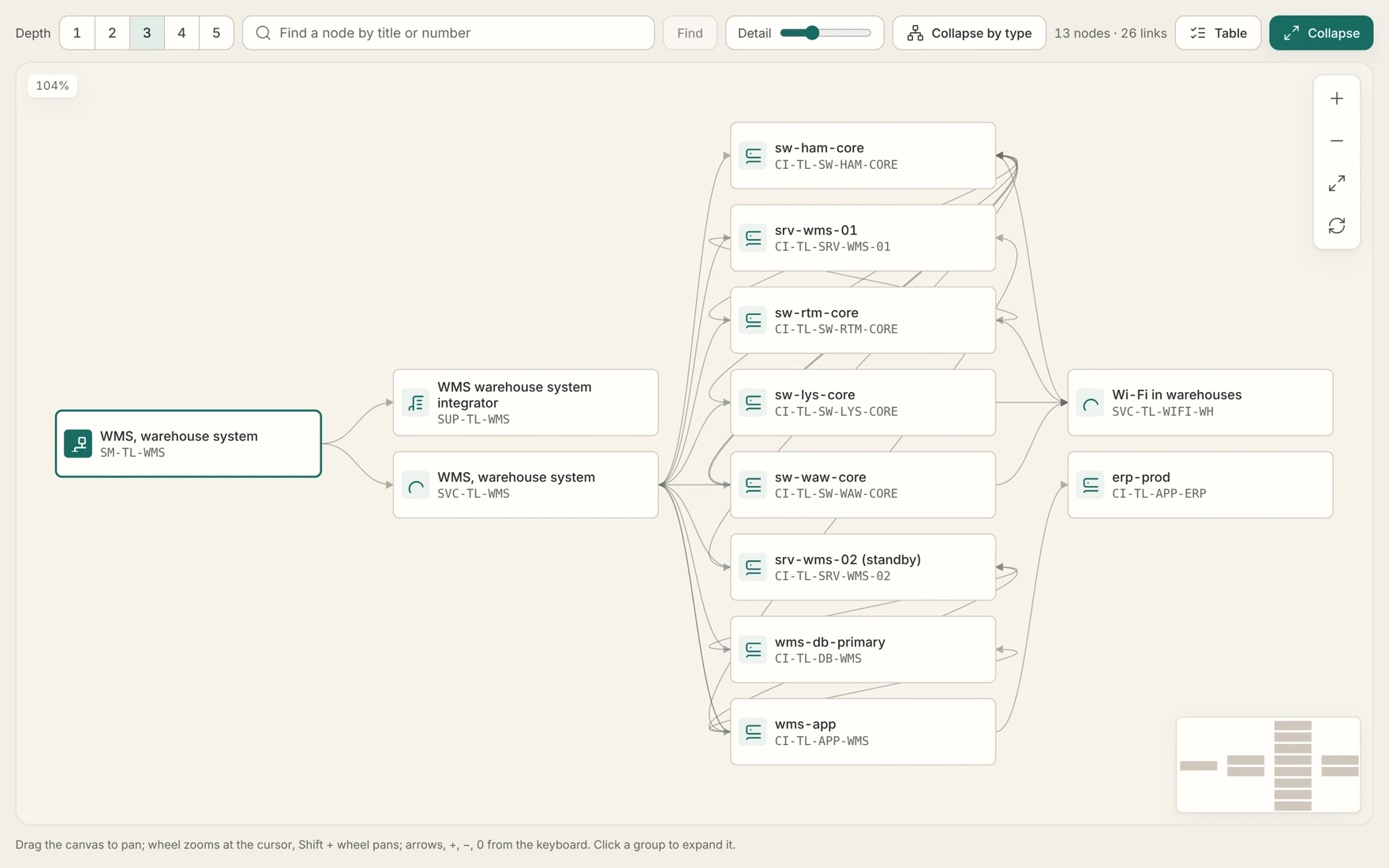
Before database maintenance, an engineer finds the node on the map and opens its direct dependencies. The affected services tell you exactly which owners need to agree on the window.
Discovery data helps you keep the register in line with what’s actually deployed. At a change review, the team can show which dependencies shaped its risk call.
- Configuration item register
- Searchable dependency graph with depth controls
- Service impact analysis
- Discovery reconciliation and data quality
What you work with every day
CI register
One trusted record for every configuration item: attributes, owner and who supports it.
Relationship graph
A visual map of dependencies, parent and child links and the path to each service, so finding the root cause takes minutes.
Auto-discovery
Connect your discovery tools and infrastructure-as-code pipelines, and CMDB keeps itself up to date.
Service mapping
Link configuration items to business services and see what a fault means for customers.
Change impact
Before a change gets approved, one click shows every item and service in the blast radius.
Full audit trail
Every item created, changed or retired is logged with time, user and reason. Auditors get it as is.

Where it leads next
Monitoring · Event management
Match a live alert to a host on the map and see which service owner to call first.